KyberAccess can remind pre-registered visitors, and people with a recurring pass, shortly before they arrive. Reminders are off by default. Once you turn them on, each visit gets one reminder by email, text message or both.
Video: Change or cancel, and reminders (2:47, about 20 seconds, captions on) is chapter 5 of Pre-register a visitor. In the app, Watch how reminders work on the Pre-registration reminders settings page opens the same spot.
Who this is for
Owners and admins. Text messages need a plan that includes SMS (Pro, Enterprise or a trial) or the SMS add-on.
Before you start
- Visitors need an expected date. Registrations made with the public link or a CSV import have one (see "Pre-register a visitor").
- For text messages, the registration needs a mobile number.
Menus: steps show the app launcher first and the classic menu in brackets. See Find your way around to tell which one you have.
Steps
- Open Settings › Apps › Front Desk › Pre-registration reminders (classic menu: click Configure, then Visitor policies › Pre-registration reminders). From Front Desk you can also select Front Desk settings, then Pre-registration reminders.
- Tick Send reminders.
- Under Send, choose 2 hours before, 24 hours before or 48 hours before. The time counts back from the visit's expected time, or from 9:00 AM if the visit has no time.
- Under Channel, choose Email, SMS or Email and SMS. If your plan doesn't include SMS, only Email is offered.
- Leave Include the visitor pass ticked to add a pass link to text messages (see "What the reminder contains").
- Click Save.
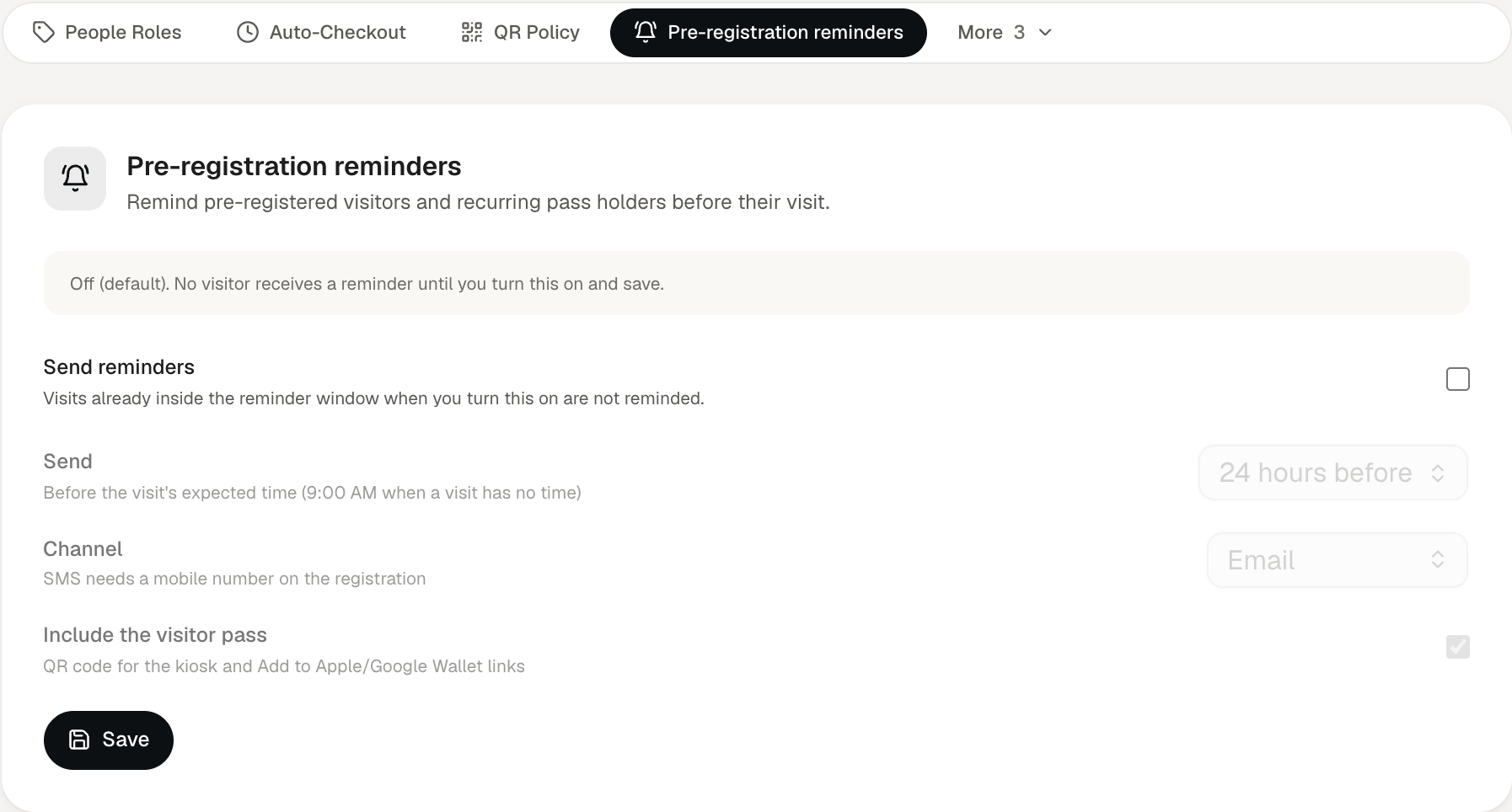
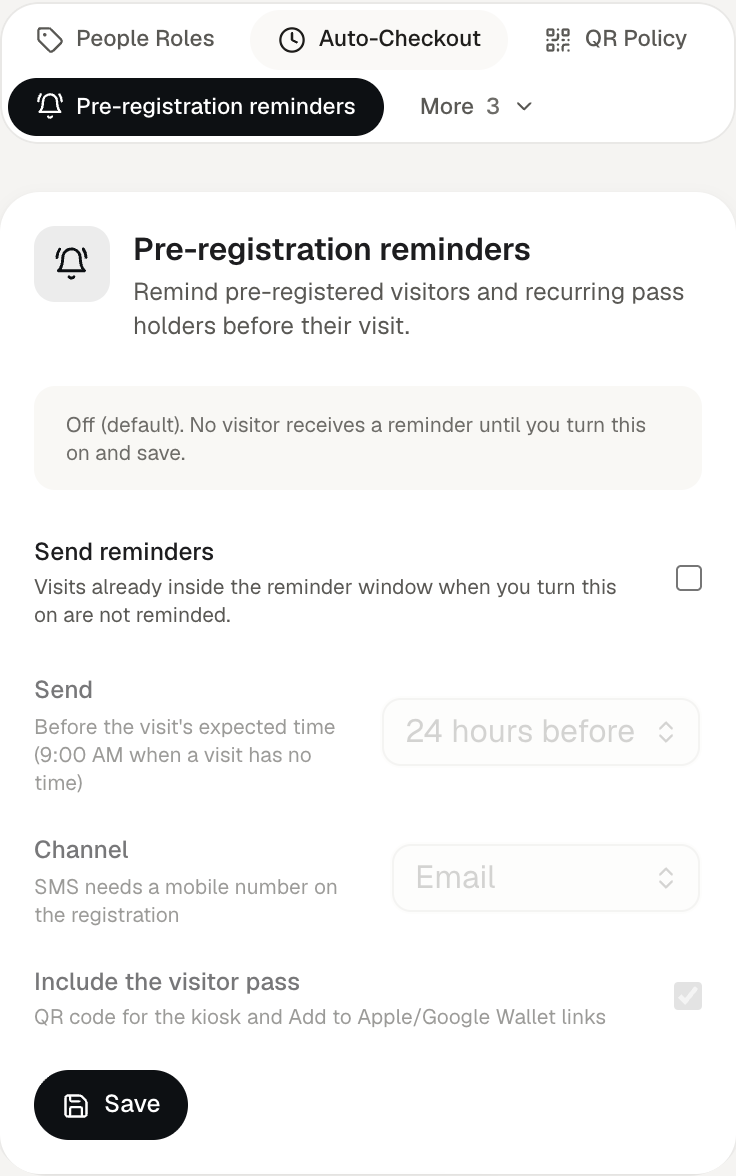
The summary at the top changes to "On: one reminder per visit, 24 hours before, by email…" when it's saved.
What happens next
- KyberAccess checks for due reminders every 15 minutes, so a reminder can arrive up to about 15 minutes after the exact lead time.
- No back-sending. A visit whose reminder time had already passed when you turned this on is not reminded.
- Each visit gets one reminder. A recurring pass holder gets one before each valid day.
- No reminder is sent for registrations that are cancelled, completed or checked in, or to someone already checked in today.
- If the visitor unsubscribed (the link at the bottom of every reminder) or their email bounced, they get no reminder by any channel.
What the reminder contains
- Email — subject "Reminder: your visit to Your School on date", with the date, time, host and location and short check-in instructions (bring a photo ID, go to the check-in desk). With Include the visitor pass on, the email includes a check-in QR code that the iPad kiosk accepts, for every pre-registration (Register, public link or CSV import). Wallet buttons appear when the visitor already has a record in People. Recurring passes get no QR code.
- Text message — "Your School: reminder of your visit date at time." plus a pass link when the visitor has a record in People. Replying STOP opts out.
Settings that change this
| Setting | Where | Default | Effect |
|---|---|---|---|
| Send reminders | Settings › Apps › Front Desk › Pre-registration reminders (classic: Configure › Visitor policies › Pre-registration reminders) | Off | Turns reminders on or off |
| Send | same page | 24 hours before | Lead time: 2, 24 or 48 hours |
| Channel | same page | Email, SMS, or both | |
| Include the visitor pass | same page | On | Adds the check-in QR code to the email, and a pass link to text messages for visitors already in People |
| Time zone | Settings › Organization › General (classic: Configure › Organization › General) | — | Visit times are read in your organization's time zone |
Troubleshooting
- Nobody got a reminder → Send reminders was not saved, or the visits were already inside the reminder window when you turned it on → confirm the summary says "On", then wait for the next visit.
- SMS is missing from Channel → your plan has no SMS → email works on every plan.
- A visitor got an email but no text → no mobile number on the registration, or SMS is not in your plan.
- A visitor says they never get reminders any more → they clicked unsubscribe, or their address bounced → they can still be registered; reminders stay off for that address.
- Reminder arrived at the wrong hour → the visit had no time, so 9:00 AM was used, or your organization's time zone is wrong.