Get told when a gateway or turnstile reader stops checking in, and set rules that flag repeated denials, after-hours entry or credential reuse. Reader health alerts arrive in the app's notification bell. Alert rules show their matches on the Alerts tab. Nothing is sent by email, text or webhook yet, and alerts never change what a gate decides.
Menus: steps show the app launcher first and the classic menu in brackets. See Find your way around to tell which one you have.
Who this is for
Owners and admins.
Steps
Turn on reader health alerts
- Open Settings › Apps › Access › Alerts (classic menu: Configure › Access control › Alerts). From Access you can also select Access settings, then Alerts.
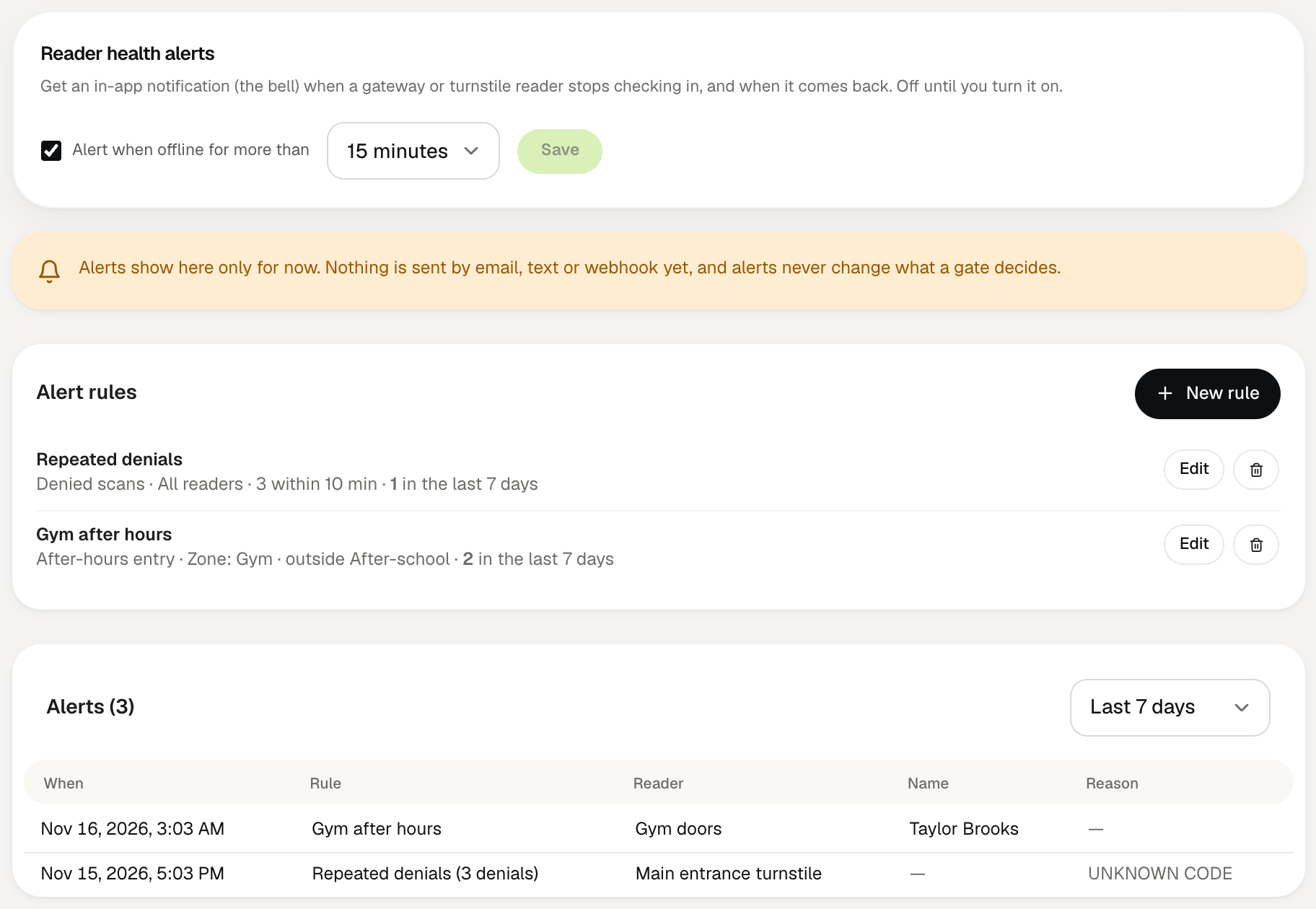
- Under Reader health alerts, tick Alert when offline for more than and pick 5, 10, 15, 30, 60 or 120 minutes (default 15).
- Click Save.
Add an alert rule
- Under Alert rules, click New rule.
- Type a Rule name and pick the kind:
- Denied scans: a gate denied a scan. Set Alert after N denial(s) at one reader and, for more than one, within N minutes, to catch repeated tries.
- After-hours entry: a gate let someone in while a schedule was closed. Pick the Open hours schedule.
- Anti-passback (observed): the access rules saw a credential reused at the same zone too soon. Only works at readers with Rules: observe on.
- Optional: limit it to one zone or one entry. By default it watches all readers.
- Leave On ticked and click Save.
What happens next
- Reader health: checked every 5 minutes. You get one bell notification when a gateway or reader has been offline longer than your threshold, and one when it's back. A reader under a gateway that is down is covered by the gateway's alert.
- Alert rules: each rule shows how many scans matched in the window you pick (Last 24 hours, Last 7 days, Last 30 days), and the Alerts table lists them. Overview shows the count under Needs attention.
- Edit or delete a rule with Edit and the bin icon.
Settings that change this
| Setting | Where | Default | Effect |
|---|---|---|---|
| Alert when offline for more than | Settings › Apps › Access › Alerts (classic: Configure › Access control › Alerts) › Reader health alerts | Off, 15 minutes | Bell notification on outage and recovery |
| Alert rules | Settings › Apps › Access › Alerts (classic: Configure › Access control › Alerts) › Alert rules | None | Matches listed on the Alerts tab |
Troubleshooting
- No bell notification although a reader is offline → reader health alerts are off, or it hasn't been offline longer than your threshold yet.
- "Very busy period: only the newest scans were checked." → pick a shorter window.
- A rule shows a warning under its name → its zone, entry or schedule was archived → edit the rule.
- I expected an email → alerts are in-app only for now.