A schedule says when. On its own it grants nothing: you pair a zone with a schedule in Who can go where, so "Parents · Main lobby · School hours" means parents may use the lobby during school hours. Holidays close every schedule that observes them. Creating a schedule doesn't change who any reader lets in.
Menus: steps show the app launcher first and the classic menu in brackets. See Find your way around to tell which one you have.
Who this is for
Owners and admins.
Steps
- Open Settings › Apps › Access › Schedules & holidays, or in Access select Access settings, then Schedules & holidays (classic menu: Configure › Access control › Schedules & holidays).
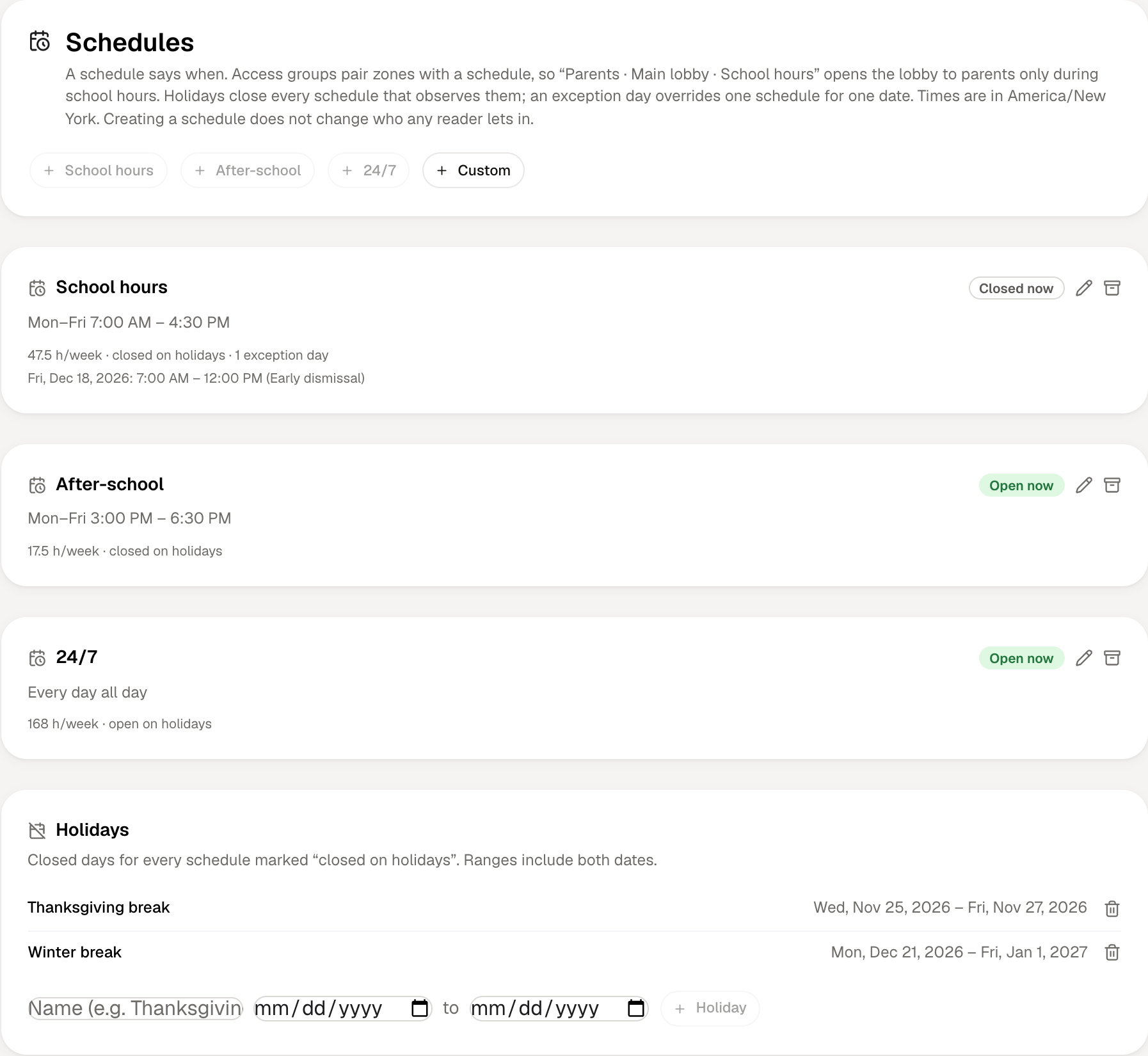
- Click a preset to create it:
- School hours: Mon–Fri 7:00 AM – 4:30 PM, closed on holidays.
- After-school: Mon–Fri 3:00 PM – 6:30 PM, closed on holidays.
- 24/7: every day, all day, including holidays.
- Custom: type a name; it starts as Mon–Fri 7:00 AM – 4:30 PM for you to change. A preset you already have is grayed out.
- To change one, click its pencil. You can:
- Rename it.
- Under Weekly hours, click days to turn them on or off and set the start and end time. Click + Hours for another row (for example a different Friday).
- Turn Closed on holidays on or off.
- Click + Exception day, pick a date, and choose Closed or Special hours (with a label such as "Early dismissal").
- Click Save.
- Add holidays at the bottom: type a Name, pick a start date and, for a range, an end date, then click + Holiday. Ranges include both dates.
What happens next
- Each schedule card shows Open now, Closed now or Closed today — , its hours per week, and its exception days.
- Times use your organization's time zone (shown in the page description).
- Groups, temporary access rules, entry states and after-hours alert rules can use the schedule straight away.
Good to know
- Overnight hours: add two rows, evening until 11:59 PM, then from 12:00 AM.
- An exception day overrides one schedule for one date. A holiday closes every schedule marked closed on holidays.
- A schedule with no weekly hours is closed unless an exception day opens it.
- A zone in Who can go where with no schedule allows nothing.
Troubleshooting
- Schedule shows "Invalid — grants nothing" → its stored hours can't be read → open it, fix the hours and save.
- People were "Outside the zone's schedule" on a normal school day → check for a holiday or exception day on that date, and the time zone.
- Archiving a schedule → grants that used it show inactive and allow nothing until you pick another schedule.