The Integrations tab in Access control shows what each connected system gives audiences and programs (students, guardians, staff, grades, campuses, pickup authority, contact details), when it last synced, and which kinds of audience you can build today. KyberAccess only reads from your SIS; it never writes back.
Menus: steps show the app launcher first and the classic menu in brackets. See Find your way around to tell which one you have.
Who this is for
Owners and admins. To connect or disconnect a system, use Settings › Integrations › All integrations (classic menu: Configure › Integrations).
Steps
- Open Settings › Apps › Access › Access hardware (classic menu: Configure › Access control › Integrations).
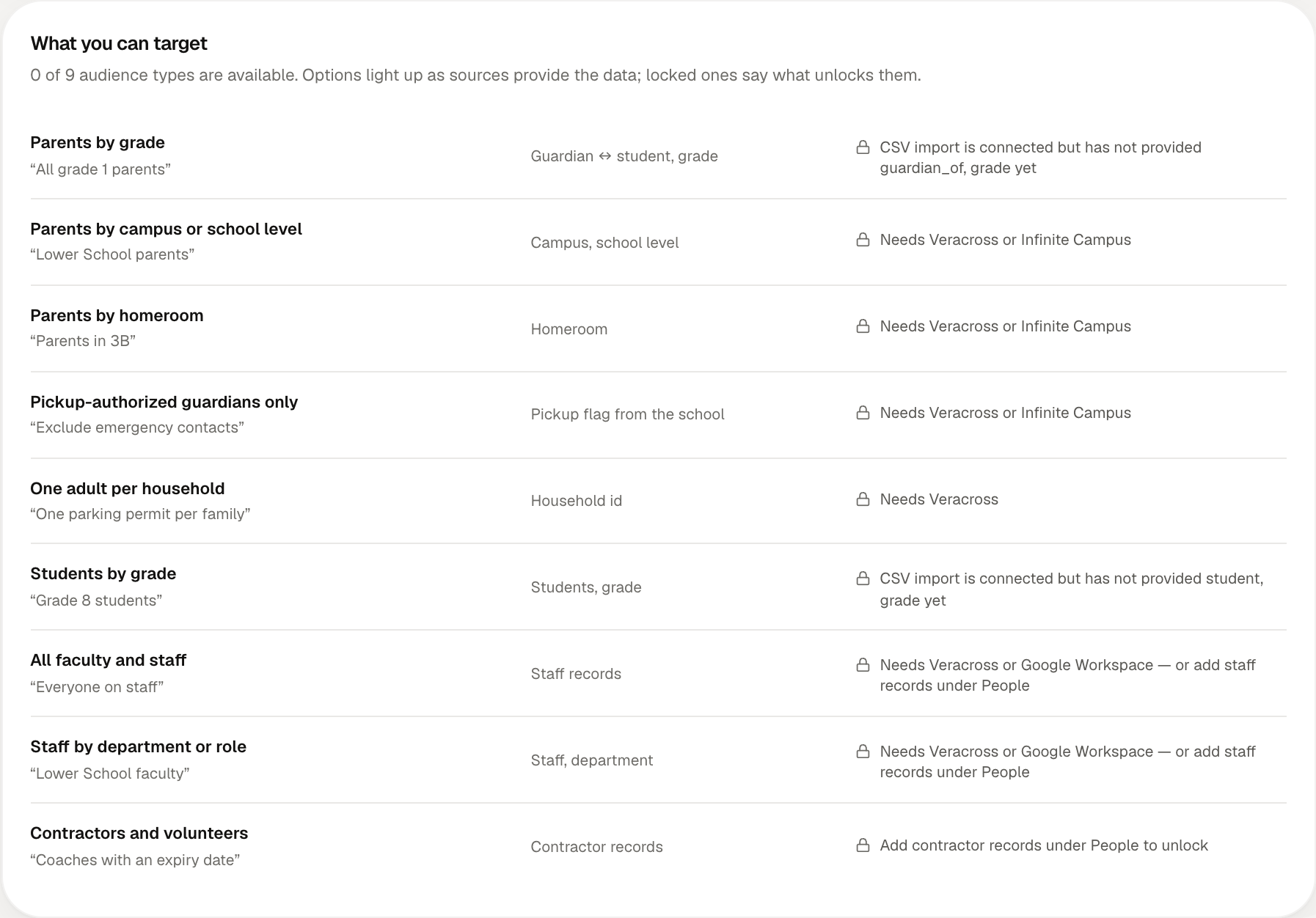
- Read Needs you at the top, if shown. It lists what limits the audiences you can target, for example "CSV import is connected but has not provided students yet".
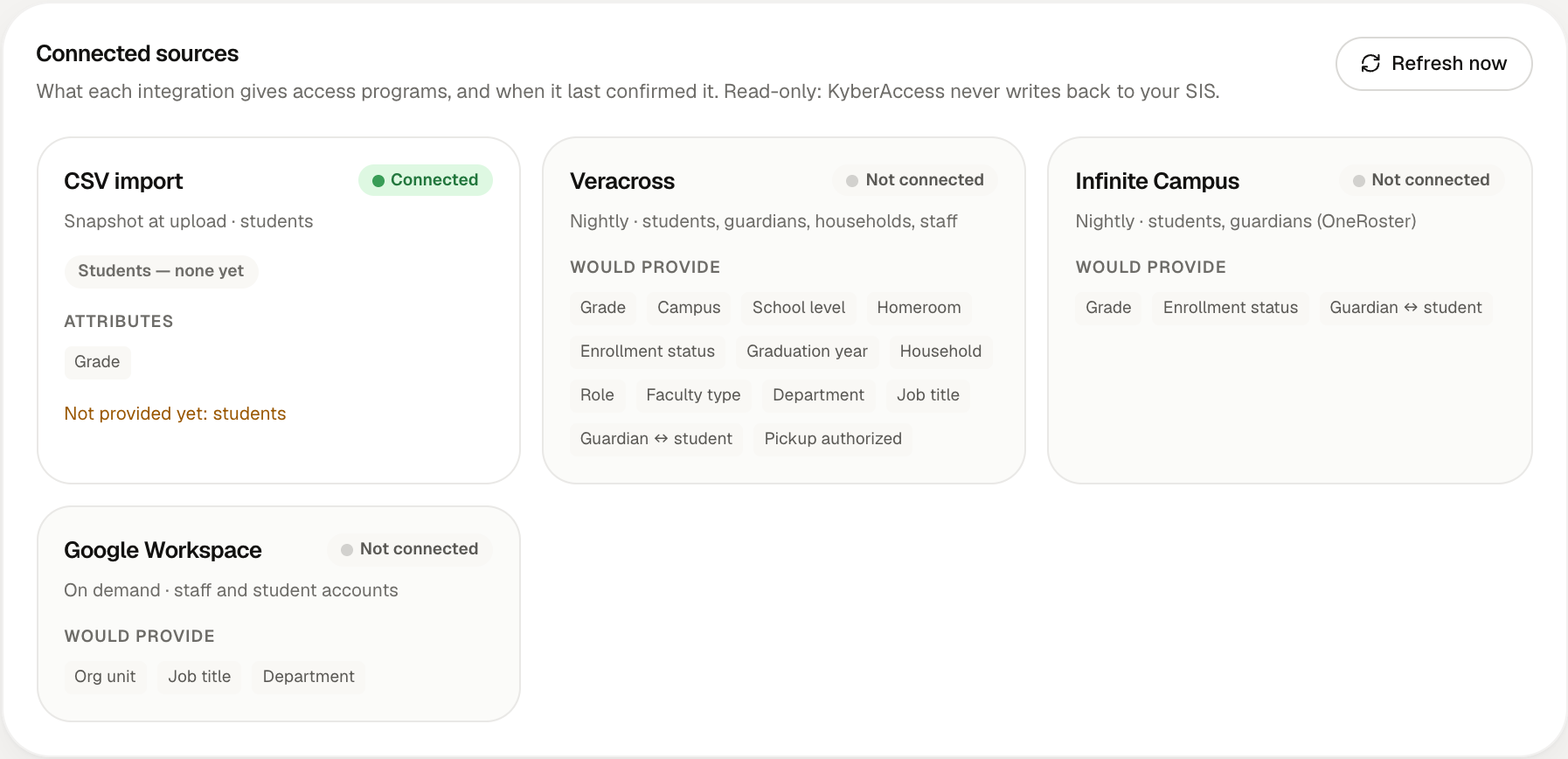
- Under Connected sources, each card shows:
- Status: Connected, Synced , Stale, Never synced, Not connected or Not on your plan.
- Counts of what it sent (for example Students 1,204), or "— none yet".
- Attributes it provides, or Would provide if it isn't connected.
- Contact coverage: how many guardians or staff have an email.
- Not provided yet: what's missing.
- Click Refresh now to rebuild the directory from the data already synced. It doesn't change people, students or guardian links.
- Under What you can target, each audience type is either Available (with the source) or locked with what unlocks it.
What each source provides
| Source | Sync | Provides |
|---|---|---|
| Veracross | Nightly | Students, guardians, households, staff; grade, campus, school level, homeroom, enrollment, graduation year, faculty type, department, job title, guardian ↔ student, pickup authorized |
| Infinite Campus | Nightly | Students and guardians; grade, enrollment status, guardian ↔ student |
| Google Workspace | On demand | Staff and student accounts; org unit, job title, department |
| CSV import | At upload | Students and the columns you include (for example grade) |
What happens next
The directory is rebuilt nightly after your SIS sync. Audience options unlock as soon as a source provides the data.
Troubleshooting
- Everything is locked → no source has sent people yet → connect one in Settings › Integrations (classic menu: Configure › Integrations), or import a CSV.
- Card says Stale → the last successful sync is older than expected → check the connection in Settings › Integrations (classic menu: Configure › Integrations).
- Low contact coverage → many guardians have no email in your SIS → fix it in the SIS; KyberAccess picks it up on the next sync.