Connect Veracross so KyberAccess imports your students, parents and guardians, and authorized pickups. After that you can invite parents by grade to events, verify pickups, and give students QR credentials without typing anyone in.
Who this is for
Owners and admins. Veracross is a paid add-on on Pro and included with Enterprise. If the Marketplace card says Contact us, send the request first.
Before you start
- A Veracross login that can open System Administration › API Management.
- In Veracross, create an OAuth2 application and copy its Client ID and Client Secret. Ask your Veracross contact for the read scopes for students, parents, households and relationships. If you want student check-ins written back to Veracross, the app also needs the attendance scopes (see below).
- Your Veracross School ID (the subdomain, for example the yourschool in yourschool.veracross.com).
Menus: steps show the app launcher first and the classic menu in brackets. See Find your way around to tell which one you have.
Steps
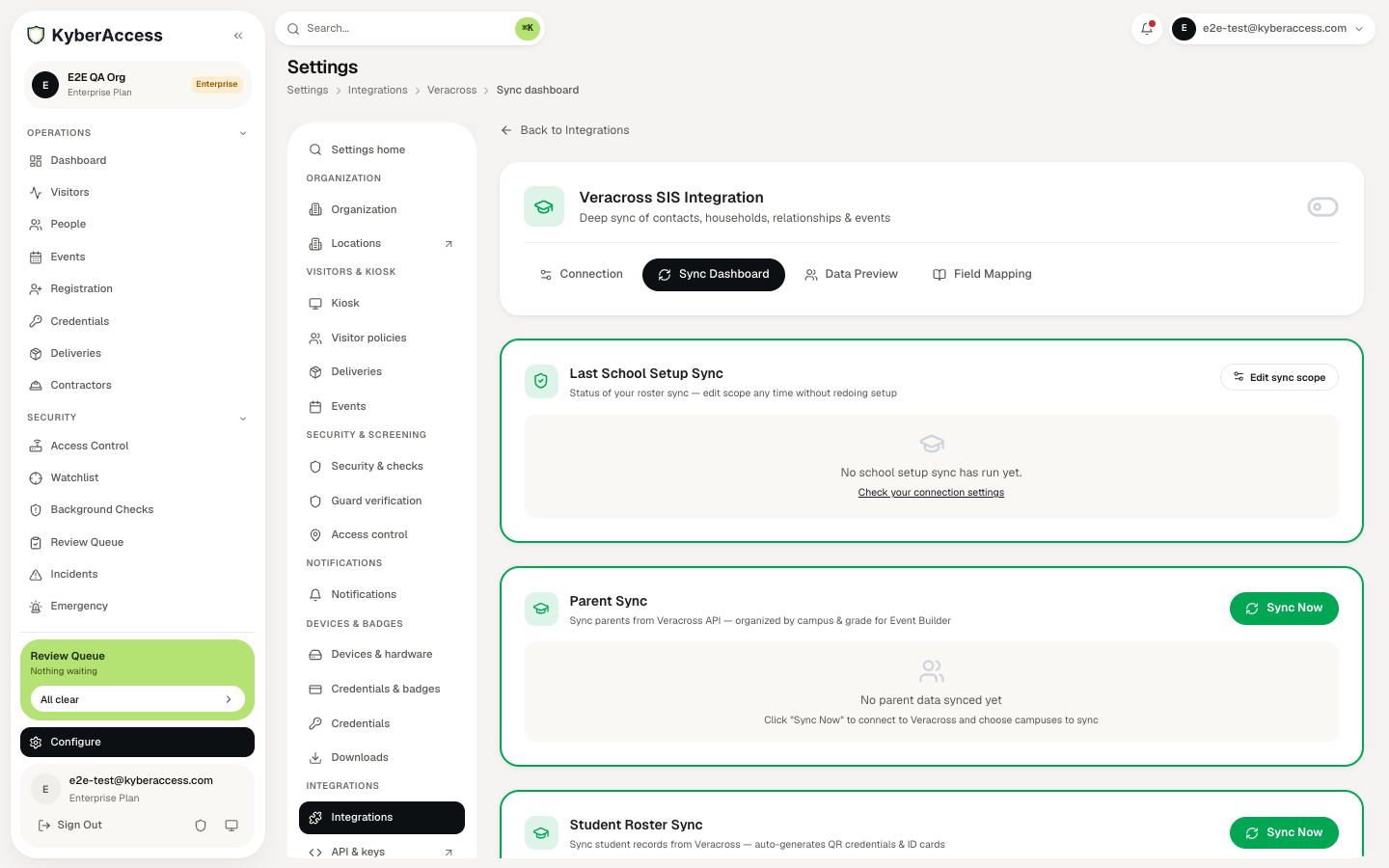
- Open Settings › Integrations › Student information system, then Veracross (classic menu: Configure › Integrations › Veracross). You land on Sync Dashboard.
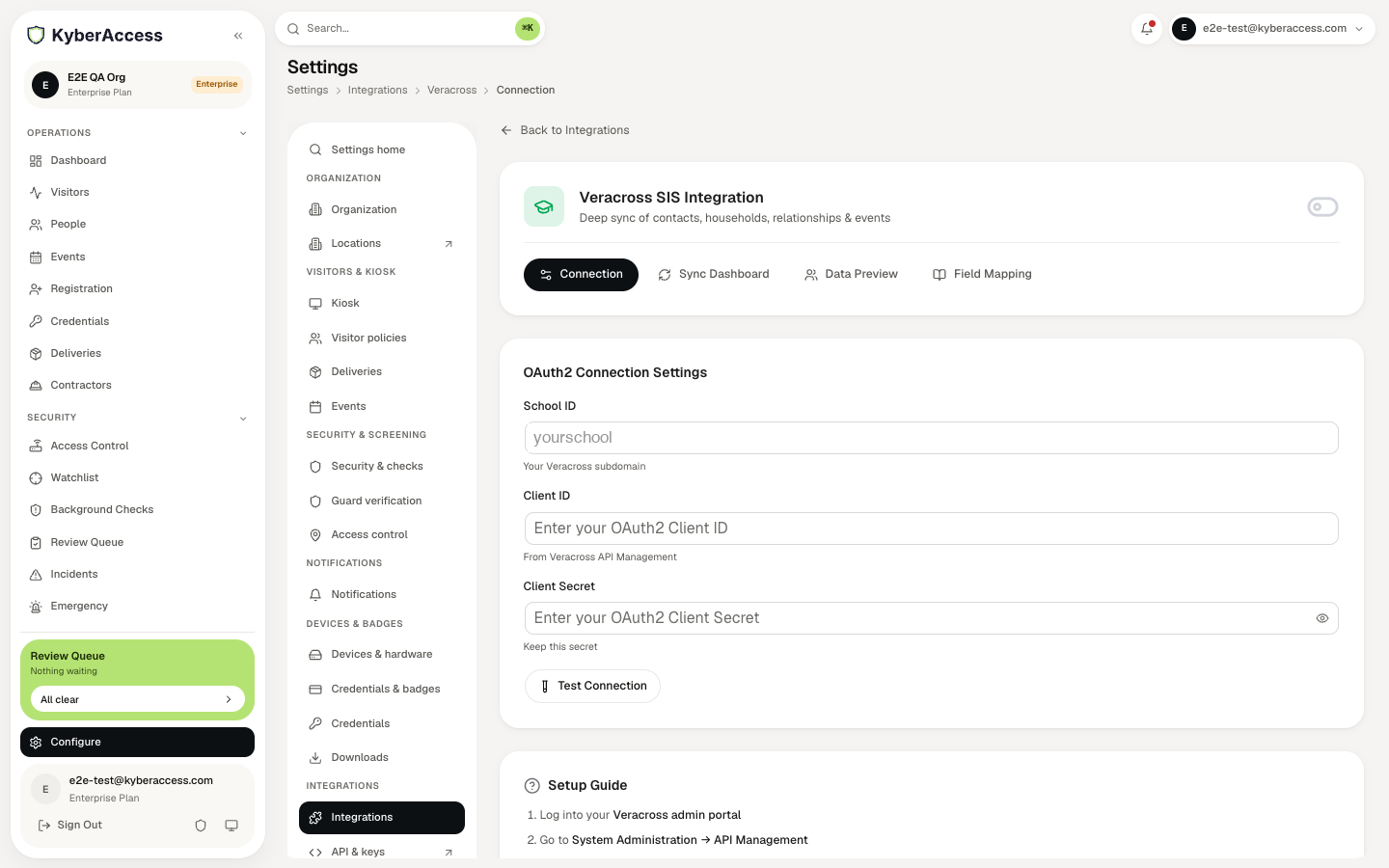
- Select the Connection tab.
- Enter School ID, Client ID and Client Secret.
- Select Test Connection. KyberAccess saves the credentials and calls Veracross. Wait for the success message.
- Turn on the switch at the top right of the Veracross card, then select Save Configuration at the bottom of the page.
- Run the guided setup: open Settings › Apps › Students › School setup (classic menu: School Setup in the sidebar, under Campus). It walks you through Connect, Campuses, Existing Data, Sync Scope, Card Program, Pickups and Done, and runs the first roster and pickup sync.
What happens next
- Every night, about 2:20 AM ET, as long as the Veracross switch is on and Auto-sync nightly is ticked, KyberAccess refreshes the student roster, then parents and guardians, then guardian links (who may pick up), then student photos. A failed night raises an alert to our team within the hour.
- Synced students appear in Dismissal & pickup (classic menu: Student Pickup) and People, with QR credentials if you turned on the card program.
- In an event's Add Guests tab, Browse Families by Grade and Import from SIS use the synced parents, so you can invite, for example, every grade 1 parent.
- Settings › Apps › Access › Access hardware (classic menu: Configure › Access control › Integrations) shows what Veracross provides (grade, campus, homeroom, guardian links and more) and when it last confirmed.
- Student attendance write-back (optional): if you tick Sync attendance to Veracross, then when a student checks in at the student kiosk or a turnstile KyberAccess marks them present in Veracross (late arrivals get the tardy code). Ticking it checks the attendance scopes first. Check-outs are not written back. With the box unticked, KyberAccess never changes your Veracross records.
Settings that change this
| Setting | Where | Default | Effect |
|---|---|---|---|
| Auto-sync nightly | Sync Dashboard › Sync Controls | On | Off stops the nightly refresh; School Setup and Sync Now still work. |
| Sync attendance to Veracross | Sync Dashboard › Sync Controls | Off | On writes student check-ins back to Veracross. |
| Import Filter Field | Connection › Event Import Settings | Any event | Which Veracross events the Events › Import list offers. |
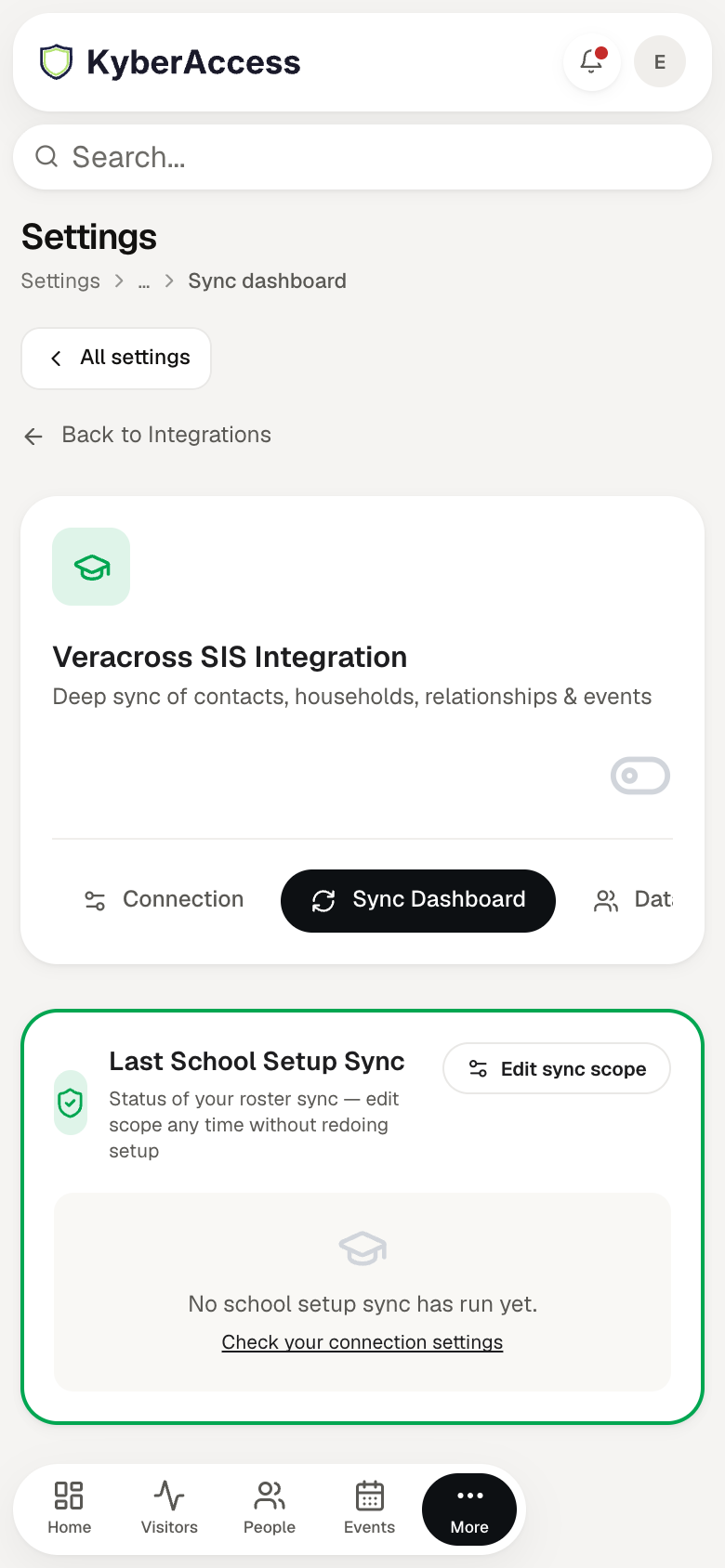
| Edit sync scope (school levels, grades, student groups, card program) | Sync Dashboard › Last School Setup Sync | Everything | Narrows what the nightly sync imports. Blank means include all. |
| Guardian link source of truth | School Setup › Pickups | Veracross | Choose KyberAccess to keep pickup links you edited by hand; the nightly sync then only adds new links. |
| Remove All Data / Remove Stale Data / Re-sync from Scratch | Data Preview tab | – | Deletes imported contacts in KyberAccess only. Type REMOVE to confirm. It cannot be undone. |
To import Veracross calendar events, use Events › Import.
Troubleshooting
- Test Connection fails → School ID, Client ID or Client Secret is wrong, or the app lacks a scope → check them in Veracross API Management, then test again.
- Nothing synced overnight (Last sync stays old) → the Veracross switch is off, Auto-sync nightly is unticked, or the credentials are missing → check all three on the Connection and Sync Dashboard tabs, then run School Setup to refresh now.
- Sync Now on the Parent Sync or Student Roster Sync card finds no campuses → Veracross returned no enrolled students, or the connection is off → run Test Connection, then try again. School Setup also syncs on demand.
- A parent is missing from an event's family list → they are a non-custodial parent or outside your sync scope → widen Edit sync scope, or add them by hand.
- Pickup shows the wrong guardians after you fixed them by hand → the nightly sync replaced your edits → set Guardian link source of truth to KyberAccess in School Setup › Pickups.
- Student check-ins don't appear in Veracross → Sync attendance to Veracross is unticked, the Veracross app lacks the attendance scopes, or the student has no Veracross ID → tick the box (it checks the scopes), then re-run the roster sync.