KyberAccess holds a person for a human decision when:
- screening finds a possible match,
- the registry does not answer,
- they match your watchlist,
- the name they typed does not match their ID, or
- their ID could not be read.
Held people wait in Review Queue.
Video: Review Queue, approve or deny
Prefer to watch? This video shows where reviews come from, how to read one, and how to approve or deny, in five short chapters. Open the video (2 minutes 51 seconds, captions on). Smaller file for phones: 720p video.
Chapters:
- Where reviews come from (0:00)
- Reading a review (0:41)
- Approve (1:24)
- Deny (1:57)
- Keeping the queue clear (2:18)
In the app, the same video is one click away: when reviews are waiting, How reviews work on the Home Needs attention card and on the Security tile in the app launcher, the ? at the top of a review, and Watch how in the Approve and Deny windows.
Menus: steps show the app launcher first and the classic menu in brackets. See Find your way around to tell which one you have.
Who this is for
Owners, admins and security. Other roles see the badge count but cannot decide.
Steps
- Open Apps › Security › Review queue (classic menu: Review Queue in the sidebar, under Security; the card at the bottom of the classic sidebar shows how many are waiting). In Front Desk, Held for review opens the same list.
- On Pending, select a person. Use the filter button to narrow the list.
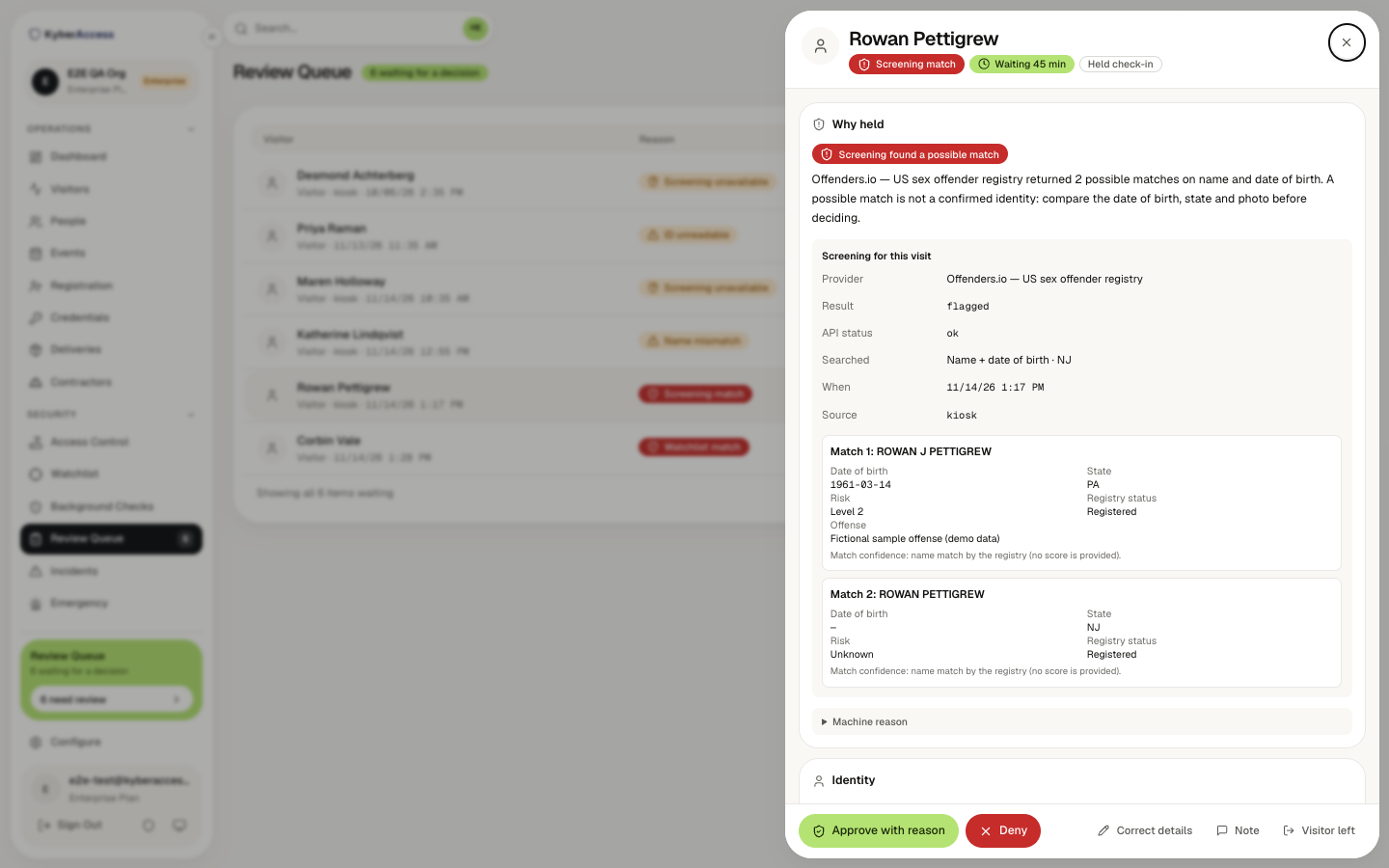
- Read Why held. For a screening match, compare the date of birth, state and photo of each match with the person's ID. A name match is not a confirmed identity.
- Decide:
- Approve / Approve with reason: checks in their visit and issues any pass or credential they are waiting for.
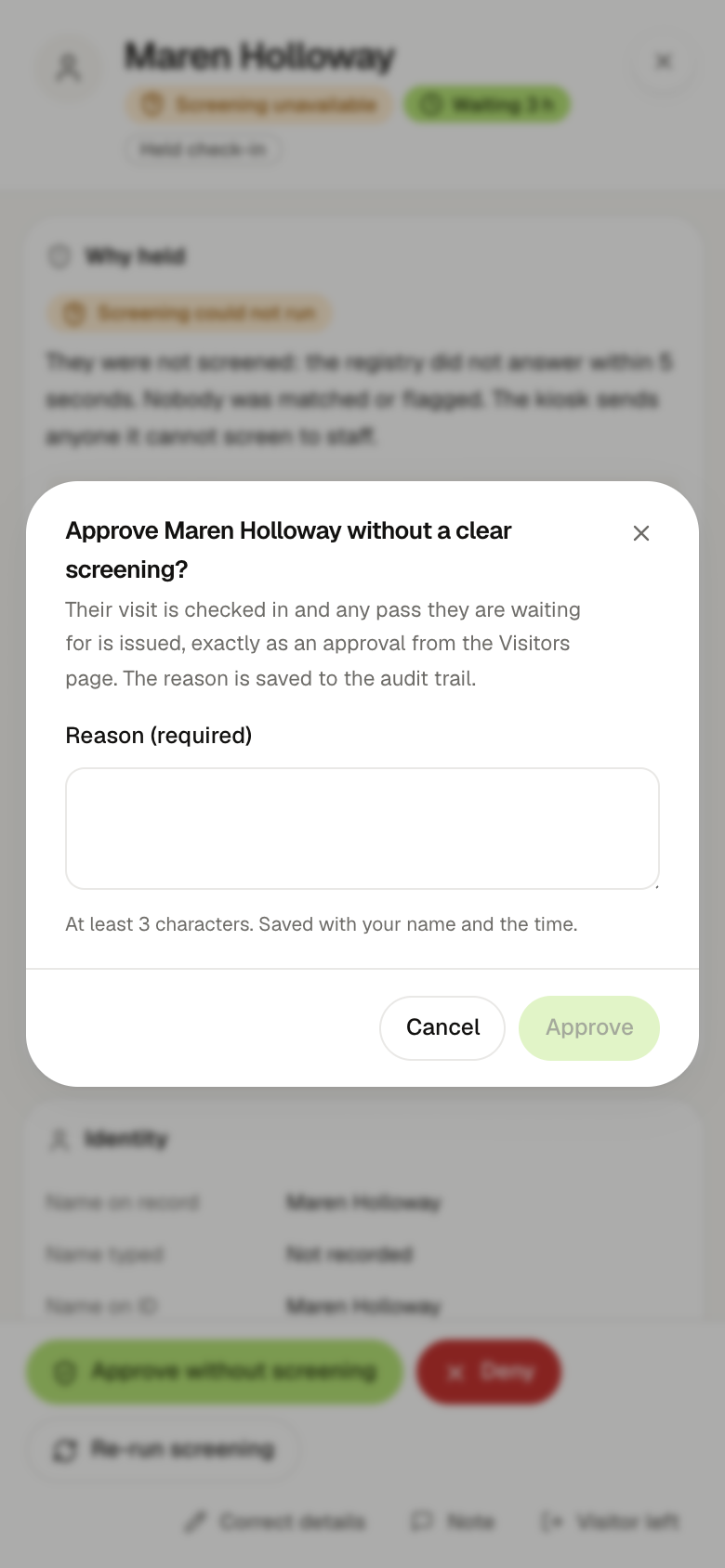
- Approve without screening: when the check could not run.
- Deny: the held visit is marked denied and nothing is issued.
- Re-run screening: try the registry again.
- Correct details, then Save and re-check: fix a typo in the name and screen again.
- Visitor left: closes the hold with no decision. Their next check-in is screened again.
- Note: adds a comment for other reviewers.
- Approvals of flagged or unscreened people, and denials, need a reason of at least 3 characters. It is saved with your name and the time.
What happens next
- Every decision is recorded and appears under Resolved with who decided and why.
- If nobody decides, an item expires at 11:30 PM (your time zone) on the day of the visit. Expired means never approved or denied.
- Approving a guest of a Permanent Credential event issues their credential and emails it.
- Denying does not change credentials the person already holds. Suspend or revoke those from Credentials.
Settings that change this
- Settings › Apps › Security › Review alerts (classic: Configure › Notifications › Review queue alerts): who gets an email when people are waiting, when it's sent, and quiet hours.
- Settings › Apps › Front Desk › Kiosk features › Background Check (classic: Configure › Kiosk › Features › Background Check): what the kiosk does on a flag (deny, flag for review, or alert only).
Related articles
- How credentials, ID checks and background screenings work together
- Run background checks for a whole group (batch)